What the heck is ScribeWare’s mullet feature? And why do we have a mullet feature? Because we want our inspection reports to be all “party in the back” (the workflow you use to build the reports), and “business in the front” (what the customer sees), that’s why.
I’ve been inspecting since about 2003, and back then, digital cameras were a brand-new thing. Most people wrote reports with paper, carbonless copy-type checkbox reports, and the reports that the client saw were absolutely awful. But they were incredibly fast to write. You’d check a few boxes, and you’d be done.
What we wanted to create at ScribeWare was the speed of a checkbox report, but the elegance and beauty of a photo-driven narrative report.
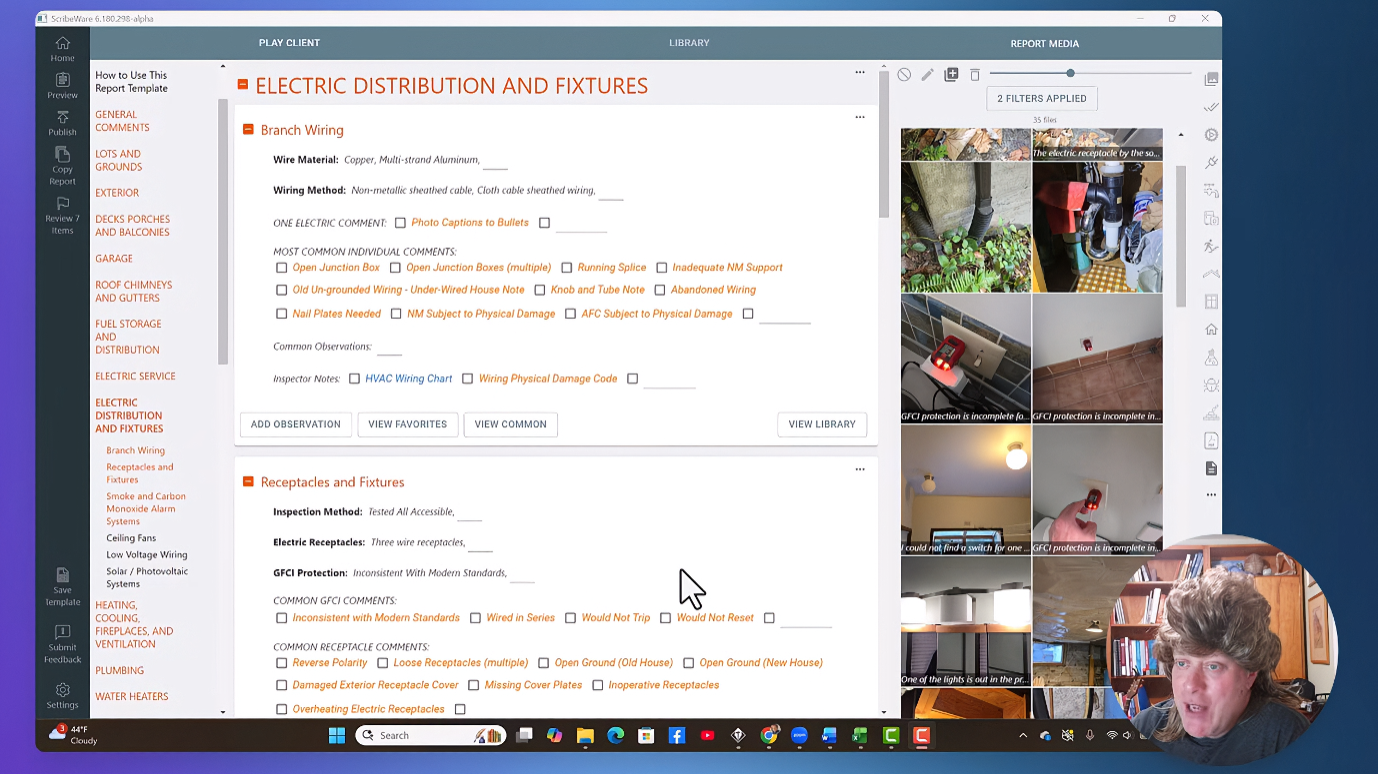
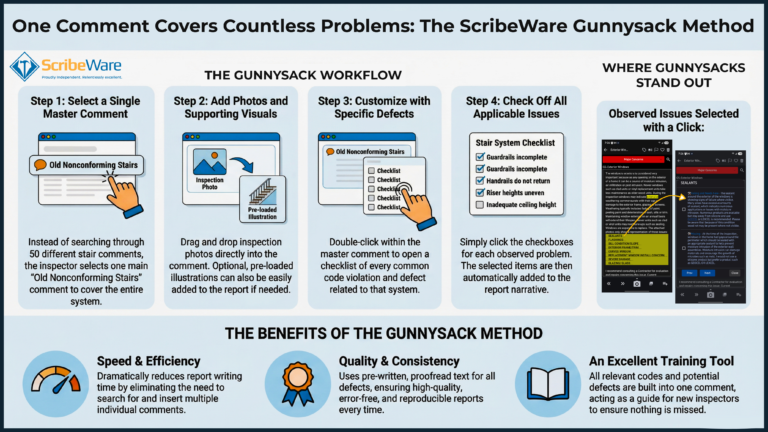
We’ve done this by designing the ScribeWare workflow so that you just check a box when an issue is found, and a pre-written comment will automatically populate in the report. You’re adding an entire paragraph of pre-written information, including recommended maintenance advice, with one click. Then you can quickly and easily add photos… using voice-to-text to caption the photo. You can even turn those captions into bullets with a click of a button to add more detail to your report!
In short, you can add dozens of detailed comments and photos rapidly without repetitive typing or keyword searches. Which saves you time. A lot of it.
On your side, it looks like a bunch of checkboxes, but the published report is a clean, easy-to-read narrative document that clearly explains issues and concerns. It is rich, visual, and organized, with photos organized by issue, and captions and bulleted lists for easy reference.
See? Party on your side, business on the client side.